Do you set ChimeHive up for us?
Yes. We set ChimeHive up around your business: your jobs, stages and levels named the way you name them, your staff imported and kiosks ready, your payroll rules and integrations in place, and the reports you need. Need a feature for the way you work? Tell us and we'll build it.
Can you build a report we need?
Yes. We can build whatever report your business needs, from job costing and margin to payroll, attendance and leave. Just let us know what you want to see and we'll set it up for you. Email hello@chimehive.com.
Which manufacturers is ChimeHive for?
Manufacturers that run bespoke, multi-stage jobs, such as joinery, print and signage, metal fabrication and engineering, and want to know the true time and margin on each job. It suits growing teams with an office and a production floor, and your office team can run on automatic timesheets in the same system.
What hardware do I need?
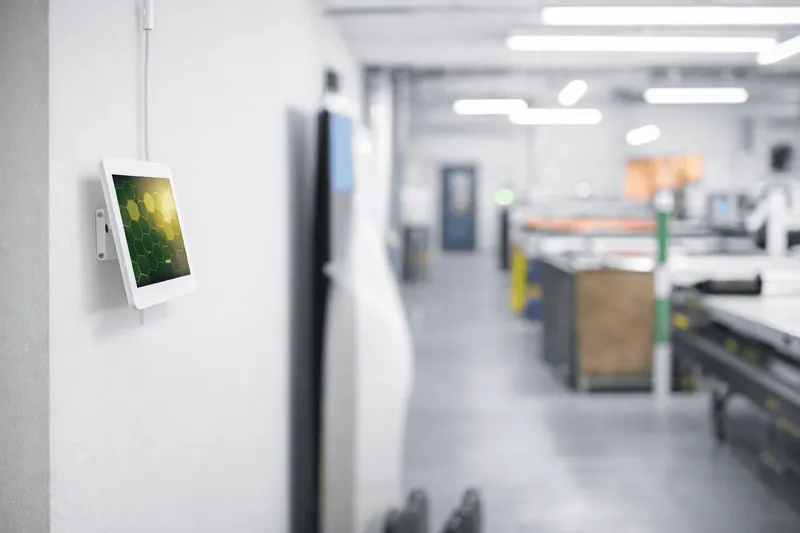
Any web-enabled device. Most teams mount a standard tablet on the shop floor as a clock-in kiosk. Staff and managers can also use a phone, laptop or desktop browser.
Does ChimeHive work with our existing systems?
Yes. ChimeHive sits alongside your MIS, ERP, accounting and payroll systems. It has an API, and we set up integrations for you, or you can export hours for payroll and project tracking. Get in touch to talk through your setup.
How long does it take to get set up?
Logins can be ready within a day or two, and you can run ChimeHive alongside paper timesheets for the first few weeks if you like.
How does facial recognition clock-in work?
Staff look at the kiosk camera and are clocked in within seconds. Facial recognition is optional and only used with each person's explicit consent, and staff can clock in with a PIN instead. It runs on secure AWS infrastructure, and biometric data is processed under GDPR Article 9.
Where is our data hosted?
ChimeHive is hosted on secure Amazon Web Services (AWS) infrastructure. Facial recognition also runs on AWS, so your data and facial IDs are stored and managed by AWS.
Can users log in from anywhere?
Yes. Any current smartphone, laptop or desktop can access ChimeHive with an internet connection. To keep clock-ins to your company kiosks, just don't share the company kiosk login details with staff.
How do I turn on GPS location for time tracking?
Turn on location services on your device and allow access when prompted. On iPhone or iPad: Settings, Privacy & Security, Location Services, On. On Android: Settings, Location, On. On a desktop, click Allow when your browser asks for your location. If you blocked it before, update your browser settings to allow location.
Is there a free trial?
Instead of a free trial, we're happy to support a pilot with a team or site of your choice, so you can see ChimeHive working before you roll it out. Book a 15-minute consultation to plan it.